
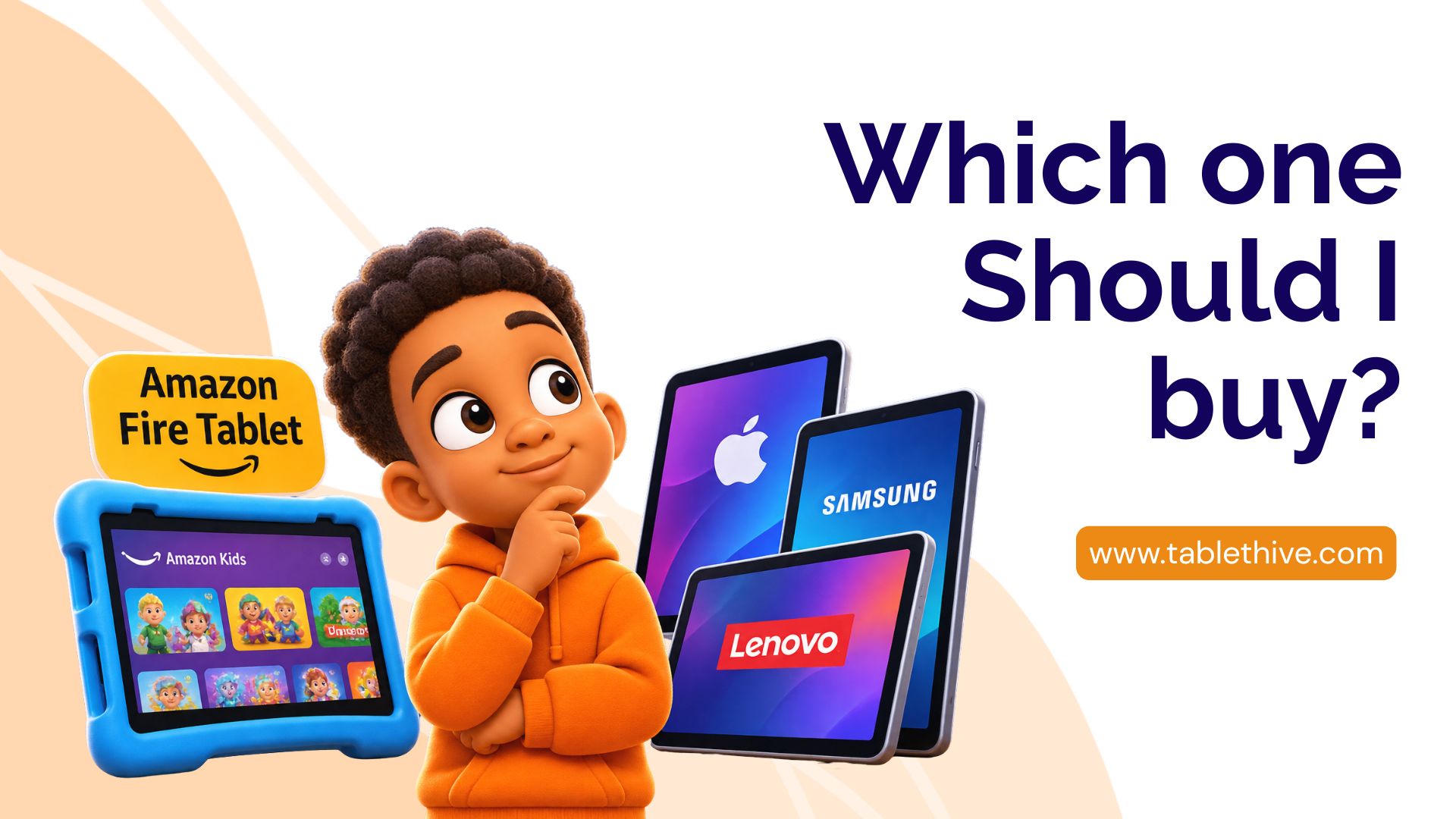
Choosing a tablet can be more confusing than it looks. With brands like Amazon, Apple, Samsung and Lenovo offering different models, features and price points, how do you know which one is right for you or your family?
Some tablets are designed for everyday entertainment, while others are better suited for schoolwork, multitasking, creativity and professional use. And although a more expensive tablet may offer more features, that doesn’t automatically make it the best choice for everyone.
In this guide, we’ll compare Amazon Fire tablets with other popular tablet brands, looking at their strengths, limitations, performance, app availability and value for money. By the end, you’ll have a better idea of which tablet makes sense for your needs and budget.
1. Amazon Fire Tablets: The Basics

Amazon Fire tablets are known for their affordability and straightforward entertainment experience. They are particularly popular among families looking for devices for streaming, reading, browsing and children’s activities.
One of their biggest attractions is the Amazon ecosystem. Users can access services such as Kindle, Prime Video, Amazon Kids and Alexa, depending on device compatibility and region.
What makes Amazon Fire tablets attractive?
- Affordability: They generally cost less than many comparable premium tablets.
- Kids-friendly options: Fire Kids models come with protective cases and access to Amazon Kids features.
- Expandable storage: Supported models offer microSD storage expansion.
- Entertainment: They are useful for watching videos, reading, browsing and playing supported games.
- Parental controls: Amazon Kids offers tools that help parents manage children’s digital experiences.
Where do they fall short?
Amazon Fire tablets use Fire OS and the Amazon Appstore rather than offering the standard Google Play Store experience. This means some familiar Android apps may not be available or may have different compatibility.
They are also not designed to compete with premium tablets when it comes to demanding professional applications or intensive multitasking.
2. Apple iPads: Premium Performance and a Strong App Ecosystem
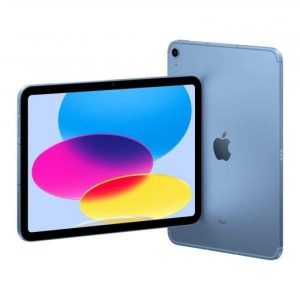
Apple’s iPad range is popular among students, professionals, creatives and everyday users.
One of its biggest advantages is iPadOS and the wide selection of applications available through Apple’s App Store.
What makes iPads stand out?
- Smooth performance across a wide range of everyday and demanding tasks.
- A large selection of applications for education, productivity and creativity.
- Excellent integration with other Apple devices.
- Support for compatible Apple Pencil models and keyboard accessories.
- A range of models for different budgets and needs.
Where do iPads fall short?
Price is one of the biggest considerations. Even entry-level iPads generally cost more than budget Amazon Fire tablets.
Accessories such as Apple Pencil and keyboards may also add significantly to the total purchase cost, depending on the model.
Best for: Students, professionals, digital artists, people who already use Apple products and anyone who needs a more capable tablet for work or creative activities.
3. Samsung Galaxy Tablets: A Flexible Android Experience
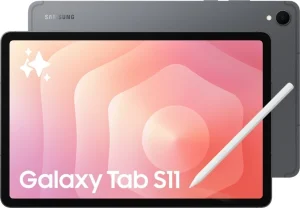
Samsung is one of the strongest competitors in the Android tablet market.
Its Galaxy Tab range includes affordable everyday devices as well as premium models designed for productivity and entertainment.
What makes Samsung tablets stand out?
- Access to the Google Play Store and its wide selection of Android applications.
- Different models and screen sizes for different budgets.
- Integration with other Samsung Galaxy devices.
- Multitasking features on supported models.
- S Pen support on selected models, sometimes included in the box.
Samsung tablets are particularly attractive to people who want the flexibility of Android without giving up advanced features.
Where do they fall short?
Premium Galaxy Tab models can be expensive. Also, performance, display quality and available features vary considerably between entry-level and flagship models.
Best for: Android users, students, people who multitask and anyone looking for a tablet that can handle both entertainment and productivity.
4. Lenovo Tablets: Practical Options for Everyday Use
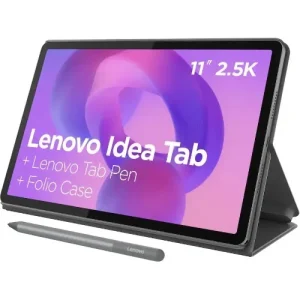
Lenovo offers a variety of Android tablets, ranging from affordable everyday devices to models with larger displays and productivity-focused features.
Depending on the model, Lenovo tablets can be useful for watching videos, reading, online classes, browsing and light work.
What makes Lenovo tablets attractive?
- A variety of affordable and midrange options.
- Different screen sizes for entertainment and productivity.
- Google Play Store access on supported Android models.
- Selected models support stylus pens and keyboard accessories.
- Options for families, students and everyday users.
Where do they fall short?
Features and software support vary significantly across the range. Some budget models may not offer the same processing power or long-term software support as premium alternatives.
Best for: Students, families and everyday users looking for an Android tablet without necessarily paying flagship prices.
5. Amazon Fire vs Apple, Samsung and Lenovo: How Do They Compare?
Here’s a quick look at how these brands differ.
|
Feature |
Amazon Fire |
Apple iPad |
Samsung |
Lenovo |
|---|---|---|---|---|
|
Price |
Budget-friendly |
Budget to premium |
Budget to premium |
Budget to midrange and premium |
|
Operating system |
Fire OS |
iPadOS |
Android |
Android |
|
App store |
Amazon Appstore |
Apple App Store |
Google Play |
Google Play |
|
Entertainment |
Very good |
Excellent |
Excellent |
Good to excellent |
|
Productivity |
Basic to moderate |
Strong |
Strong on selected models |
Varies by model |
|
Kids’ options |
Dedicated Kids models |
Parental controls |
Parental controls |
Parental controls |
|
Accessories |
Model-dependent |
Wide selection |
Wide selection |
Model-dependent |
The important thing to remember is that not every tablet within a brand offers the same experience. An entry-level Samsung tablet, for example, should not be compared directly with a premium Galaxy Tab without considering their differences.
6. Which Tablet Is Best for Children?
If you’re buying a tablet for a child, performance isn’t the only thing to consider.
You should also think about durability, parental controls, age-appropriate content, ease of use and how much you’re willing to spend.
Amazon Fire Kids tablets
These are particularly attractive for younger children because selected Kids models come with protective cases and access to Amazon Kids features. Parents can also manage content and screen time through supported parental controls.
Apple iPads
iPads offer access to a wide range of educational applications, games and creative tools. Apple’s Screen Time and parental control features can help parents manage their children’s device usage.
Samsung and Lenovo tablets
These offer access to the Google Play ecosystem, making it easier to find a variety of educational and entertainment applications. Both brands also offer parental control options through supported services.
Our recommendation: For younger children who mainly need a device for cartoons, reading, educational games and simple activities, an Amazon Fire Kids tablet is worth considering. For older children who need a wider selection of school applications and more flexibility, a suitable Samsung, Lenovo or iPad model may be a better investment.
7. Which Tablet Should You Buy?
Rather than choosing a tablet simply because it is popular, start with what you actually need it to do.
- For affordability and entertainment: Consider an Amazon Fire tablet.
- For creative work and demanding applications: Consider an Apple iPad.
- For Android flexibility and multitasking: Consider a Samsung Galaxy Tab.
- For affordable everyday Android use: Explore Lenovo tablets.
Your budget matters, but so does the experience you expect from your device.
Before buying, check the exact model’s specifications, storage capacity, RAM, app compatibility, battery life and software support.
Final Verdict: Which Tablet Brand Is Worth Buying?
There isn’t one tablet brand that is perfect for everyone.
Amazon Fire tablets offer an affordable way to enjoy entertainment, reading and children’s activities. Apple iPads stand out for their application ecosystem and performance. Samsung offers flexibility across different budgets, while Lenovo provides practical Android options for everyday use.
The best tablet is ultimately the one that meets your needs without making you pay for features you may never use.
At Tablet Hive, we understand that choosing the right device is about getting good value for your money.
If you’re considering an Amazon Fire tablet, explore our collection at Tablet Hive and find an option that suits your needs.
Make an informed choice, choose the right accessories and enjoy your tablet!